Introducing MassTrac's New Report Builder
If you've ever spent hours copying bill numbers into a spreadsheet, formatting summaries for a client update, or piecing together a status report from scattered notes, MassTrac’s updated Report Builder is for you.
Report Builder Use Cases
Lobbyists - A lobbyist may need to track multiple bills across hundreds of clients. When a client asks for an update on a bill, they’re left scrambling looking through the legislature’s website, their own spreadsheets, or notes and then putting it into something presentable.
Legislative Staff - A legislative staffer may need to update their legislator on upcoming votes, committee activity, or important bills. They need to compile sponsor information, current status, and summaries for a quick review.
Trade Association - Associations need to report to their members what is happening in the industry that matters to them. They need to track bills in all different stages and present it clearly and concisely.
The struggle is to pull together a report that encompasses what you need and doesn’t take up time.
The New Report Builder
MassTrac’s Report Builder is designed to solve this problem.
It takes your tracks and turns them into customizable, professional reports that are ready to share.
Here is how it works:
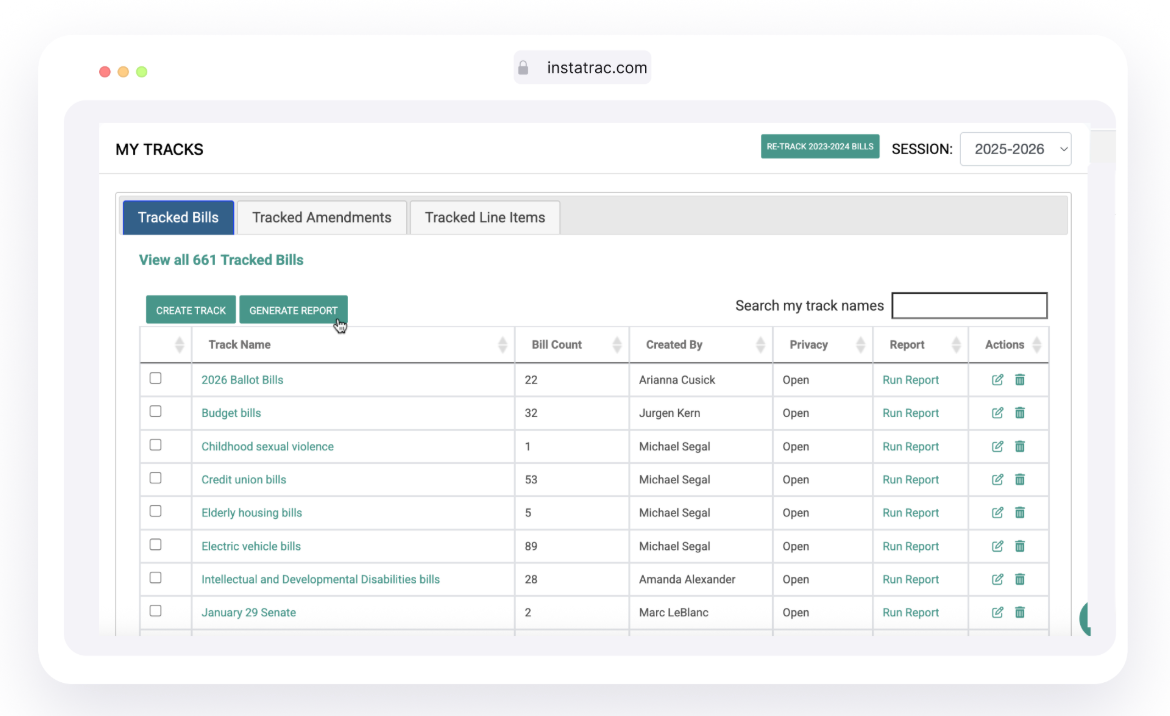
From your MassTrac dashboard, scroll down to My Tracks at the bottom.
Check the track(s) you want to report, and click Generate a Report.
You can also generate reports from committee pages, bill pages, the session laws page, or legislator pages.
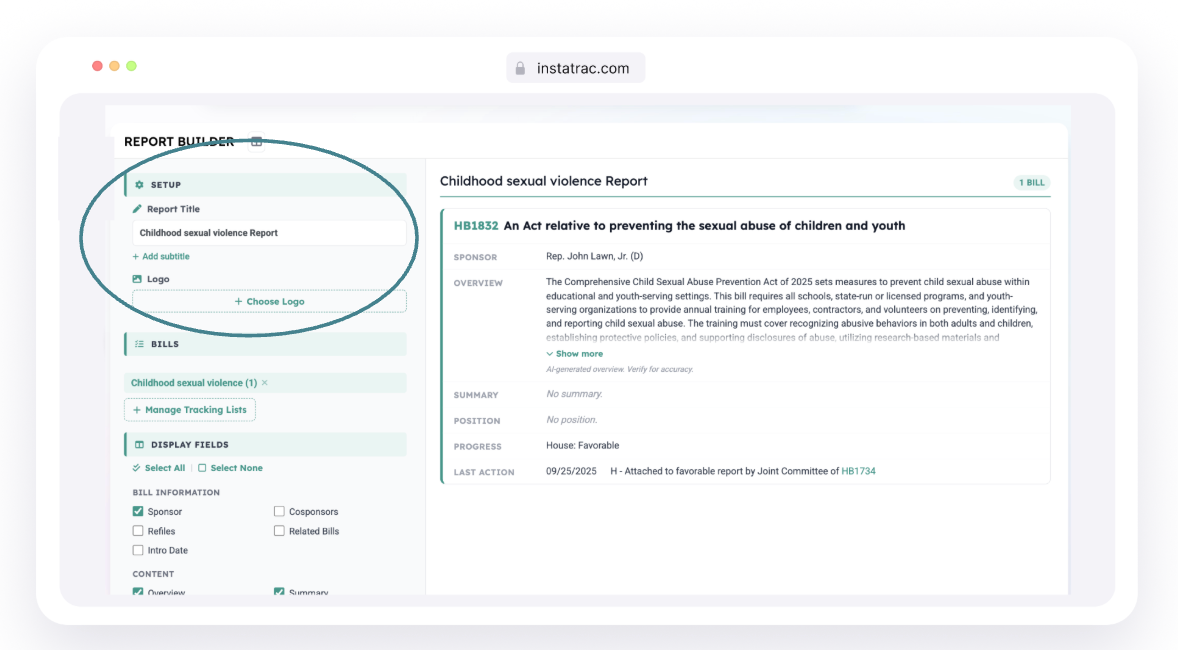
Then, customize.
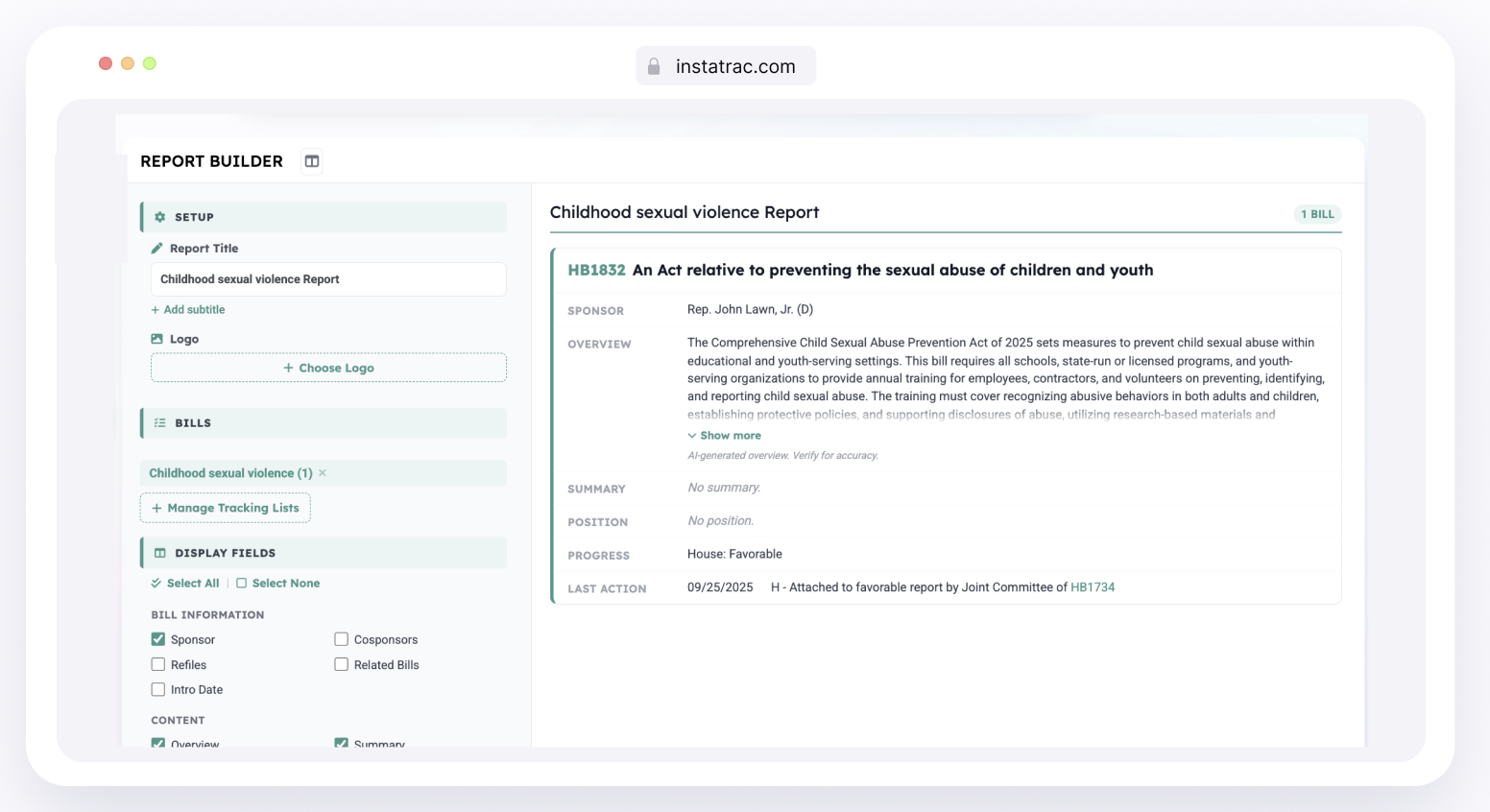
The Report Builder gives you control over what you want to appear.
Give your Report the title you want to display.
Add your logo for a branded and professional output.
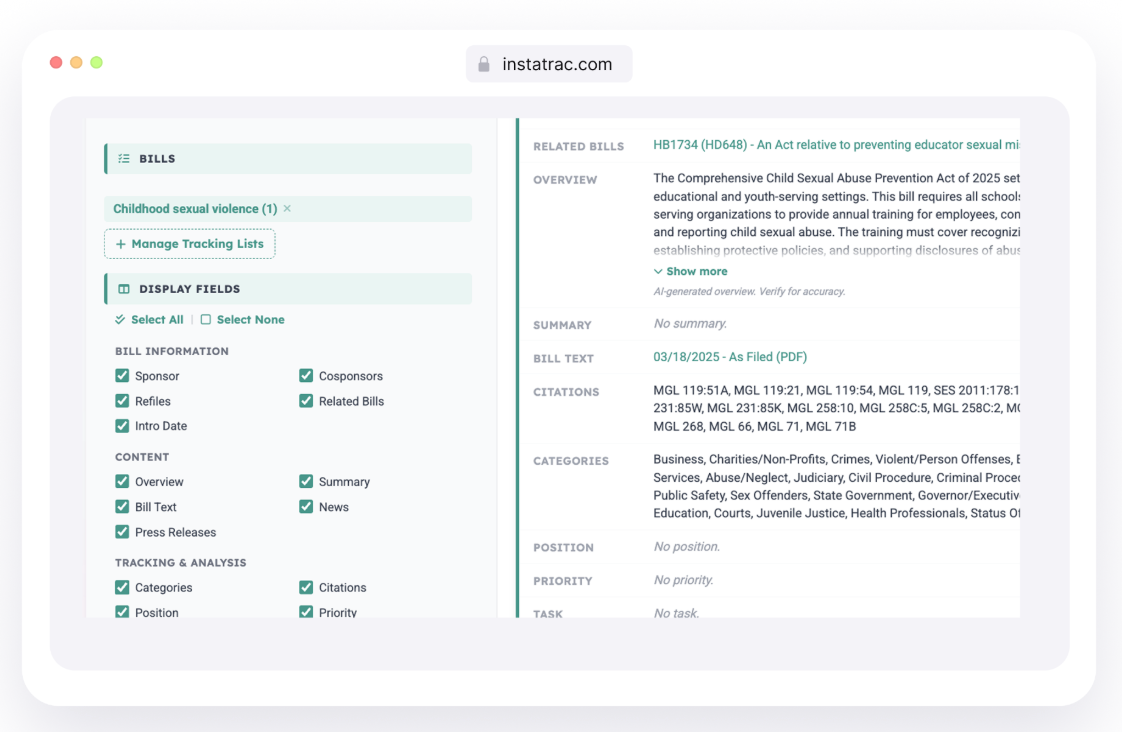
Under Display Fields, you can select from:
Bill Information:
Sponsors
Cosponsors
Refiles
Related Bills
Introduction Date
Content:
Overview (AI generated summary)
Summary
Bill Text
News Coverage
Press Releases
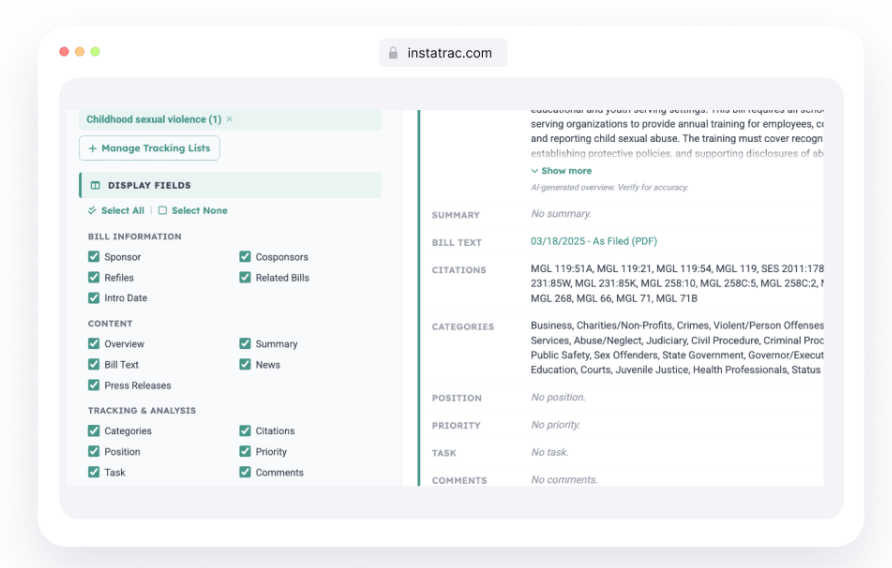
Tracking and Analysis
Categories
Citations
Position
Priority Level
Task assignment
Comments
Collaborations
Tracked Amendments
Tracked Line Items
My Files
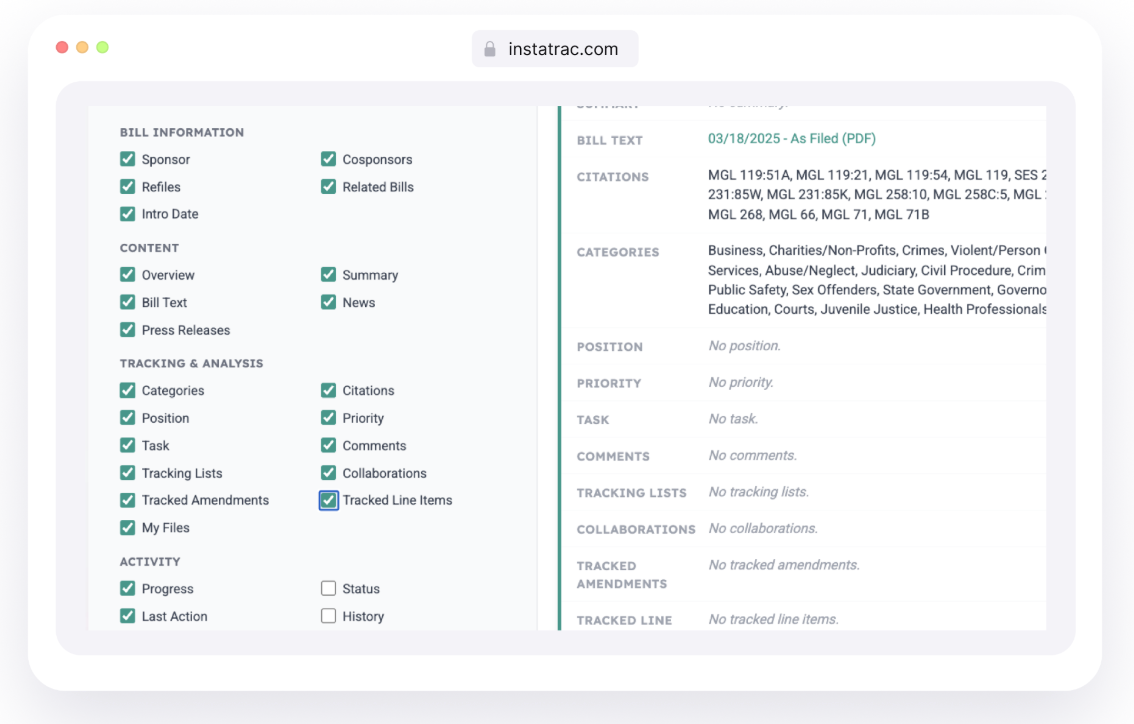
Activity:
Progress
Status
Last Action
Full History
Testimony from hearings
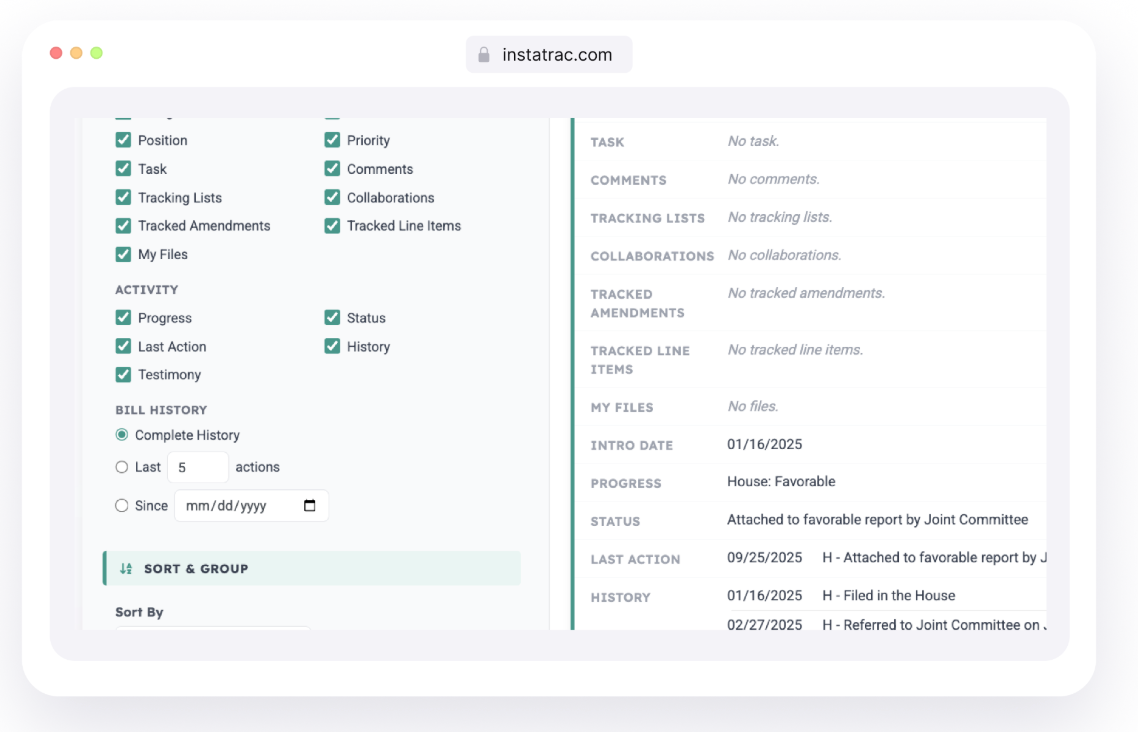
Check the boxes for what you need. Leave the rest out. Every report is tailored to its purpose and your audience.
If you’re reporting on multiple groups, sort bills by Bill Number, Progress, or Intro Date and group them through Position, Priority, Task, Tracking List, and Progress.
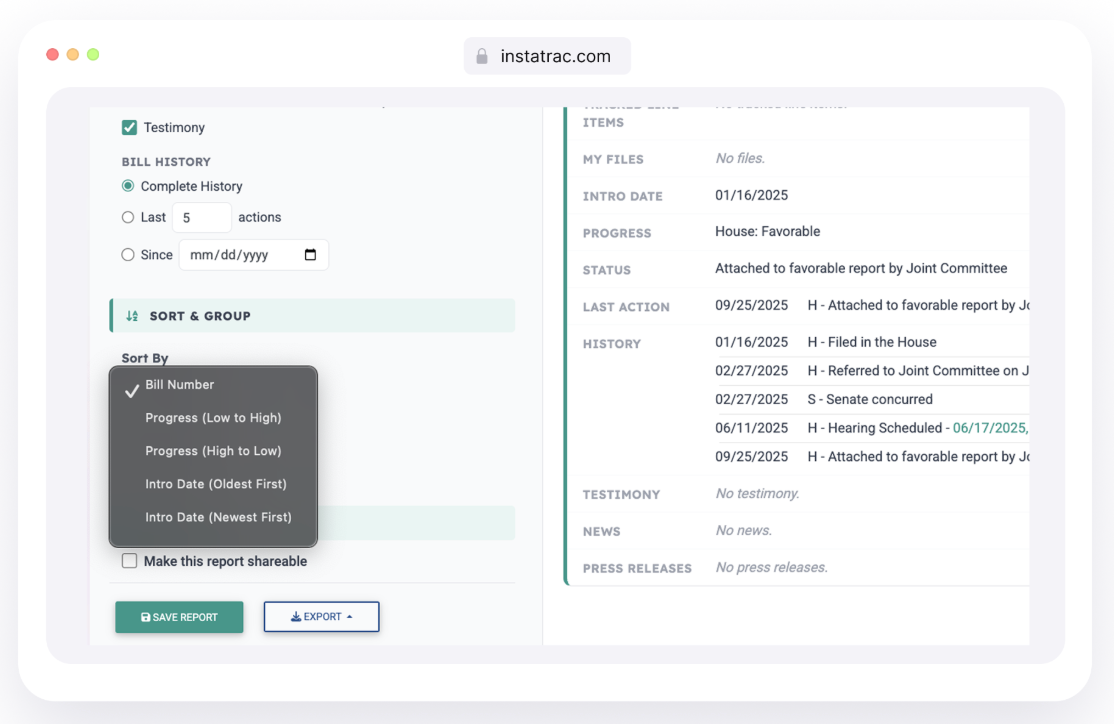
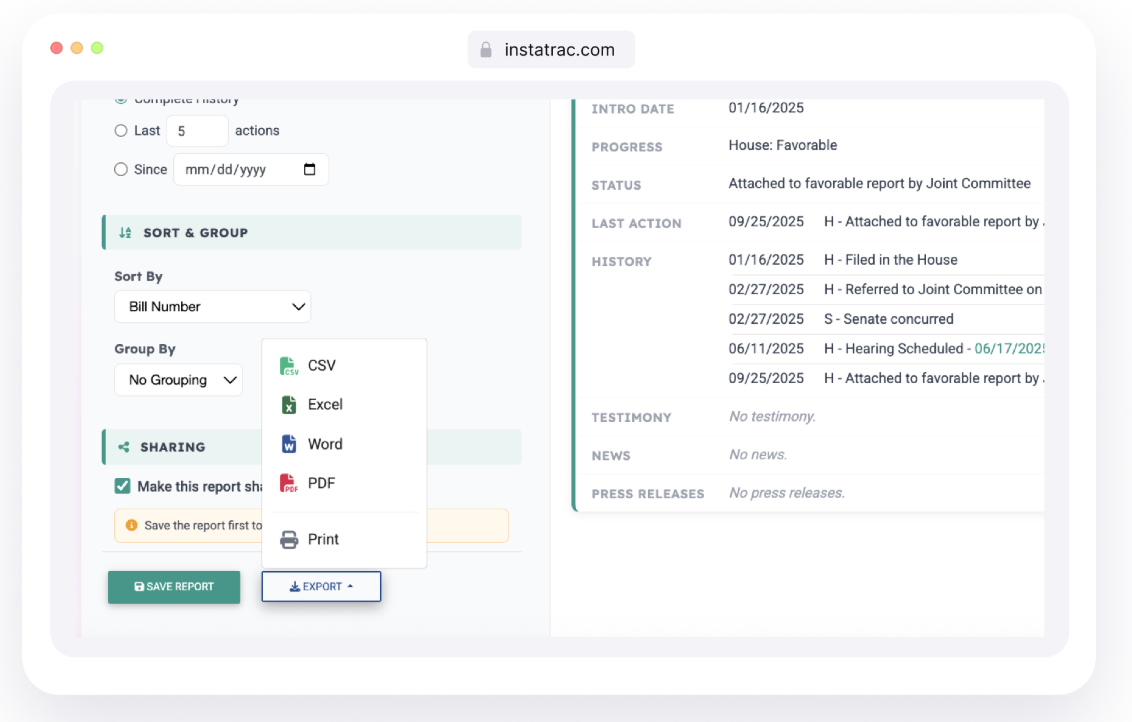
Once your report is made, export in the format you need.
Click Export, and choose how you want to save your report:
CVS
Excel
Word
PDF
Print
You can also make reports shareable, generating a link anyone can access without needing a MassTrac account.
Save time, maintain accuracy, and keep a professional look all with the new Report Builder.
For an in-depth overview on how to use our new Report Generator, take a look at this tutorial:
If you're already a MassTrac subscriber, it's waiting for you in My Tracks or on a bill page. If you're not subscribed yet, book a demo and we'll show you how it works.